This release includes some new features along with bug fixes and improvements made to existing features to improve performance. We also introduce a new feature in beta mode that will be released in the next release cycle.
The new features are
- Subscribtions for job alerts
- Queue Jobs
Improvements to existing features
- Drilldown to details in schedule log
- Ability to set landing workbench to default home page
New beta feature
- Dashboards
Subscribe for Scheduled Job alerts
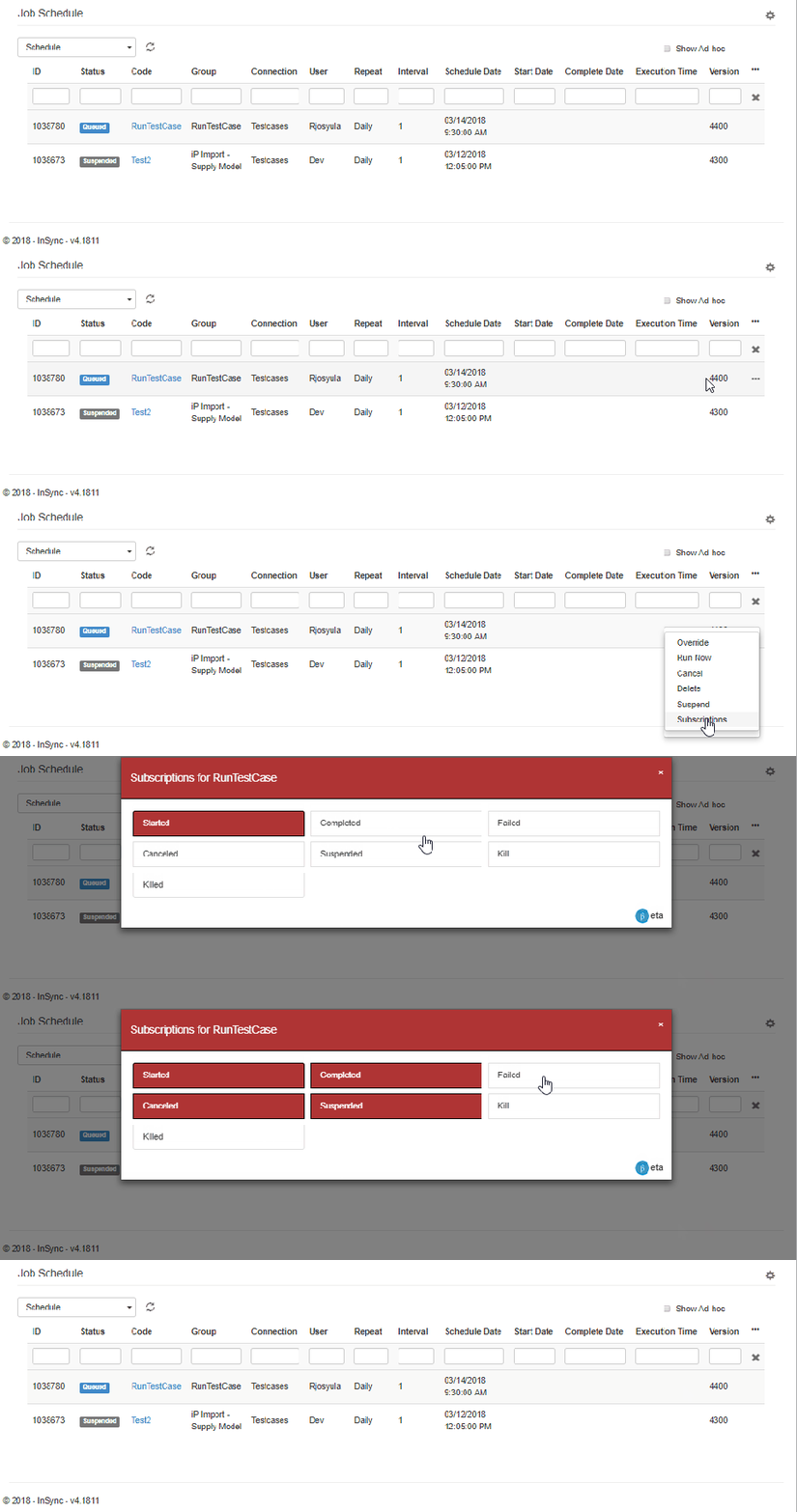
Users can now subscribe to job status alerts for scheduled jobs. They can choose which status change of the scheduled job they want to be alerted on. To subscribe, users can follow the steps below
- Cloud Configurations -> Schedules
- For the desired scheduled job, click on the three dots and click on subscribe
- Select the status changes for which user wants to subscribe and close the window
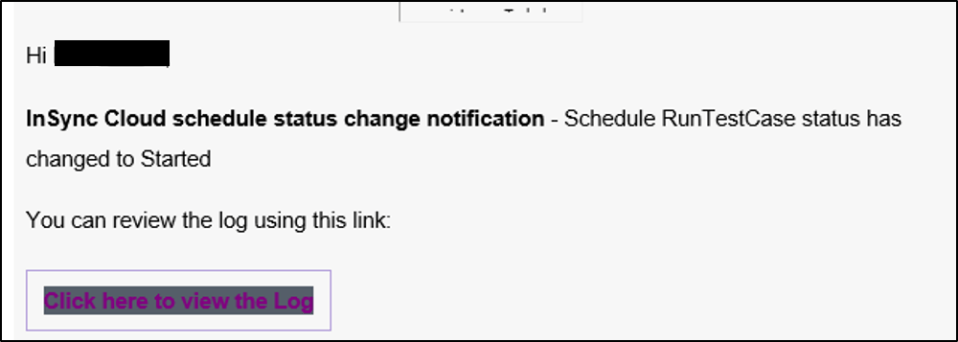
The user would then get an email for the subscribed status change as shown below. The user can click on the link to view the log
Queue Jobs
This release updates the scheduled jobs to have the ability to queue jobs when there are multiple jobs. This ensures that one job(if having a problem) would not prevent other jobs from running.
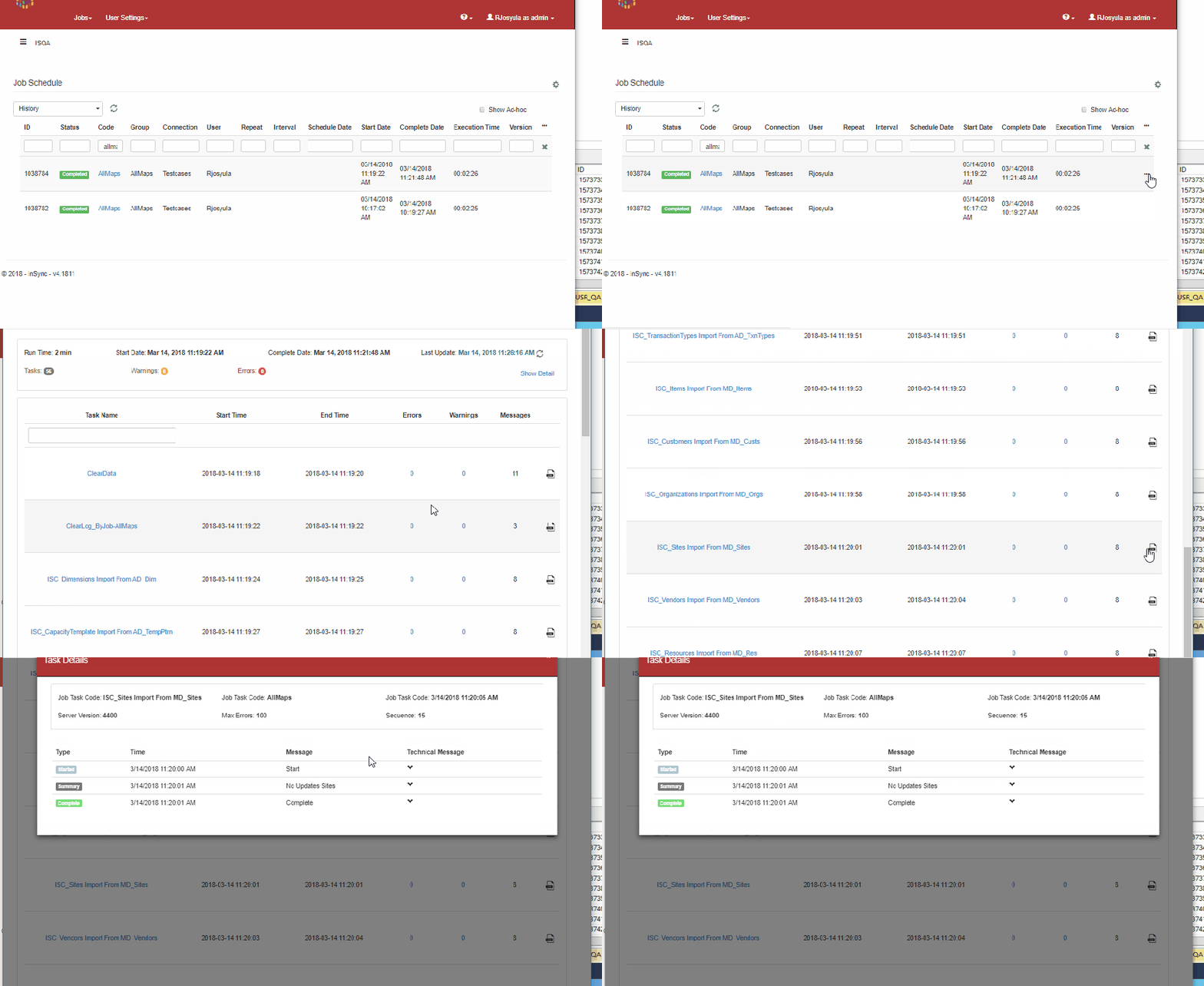
Schedule Log details
When viewing the log from the scheduled job page, a new button as been added to view the detailed log
Landing Workbench update
A couple of updates have been made to the new feature introduced last week where users can select a default landing workbench when they login.
- Users can now select the landing workbench to be “landing page” if they have no preferred landing workbench. This will take them to the home page when they login
- The landing workbench are now sorted and categorized based on the category

Dashboards
In this release, a new feature called Dashboards(beta version) has been released. Dashboards provide a quick view of Key Performance Indicators (KPIs). A more detailed description of dashboards can be read here in the Dashboard Blog.
 InSync