This release includes two new features along with bug fixes and improvements made to improve performance and usability.
The new features are
- Landing Workbench
- Add columns from a csv file to TableMaster
Landing Workbench
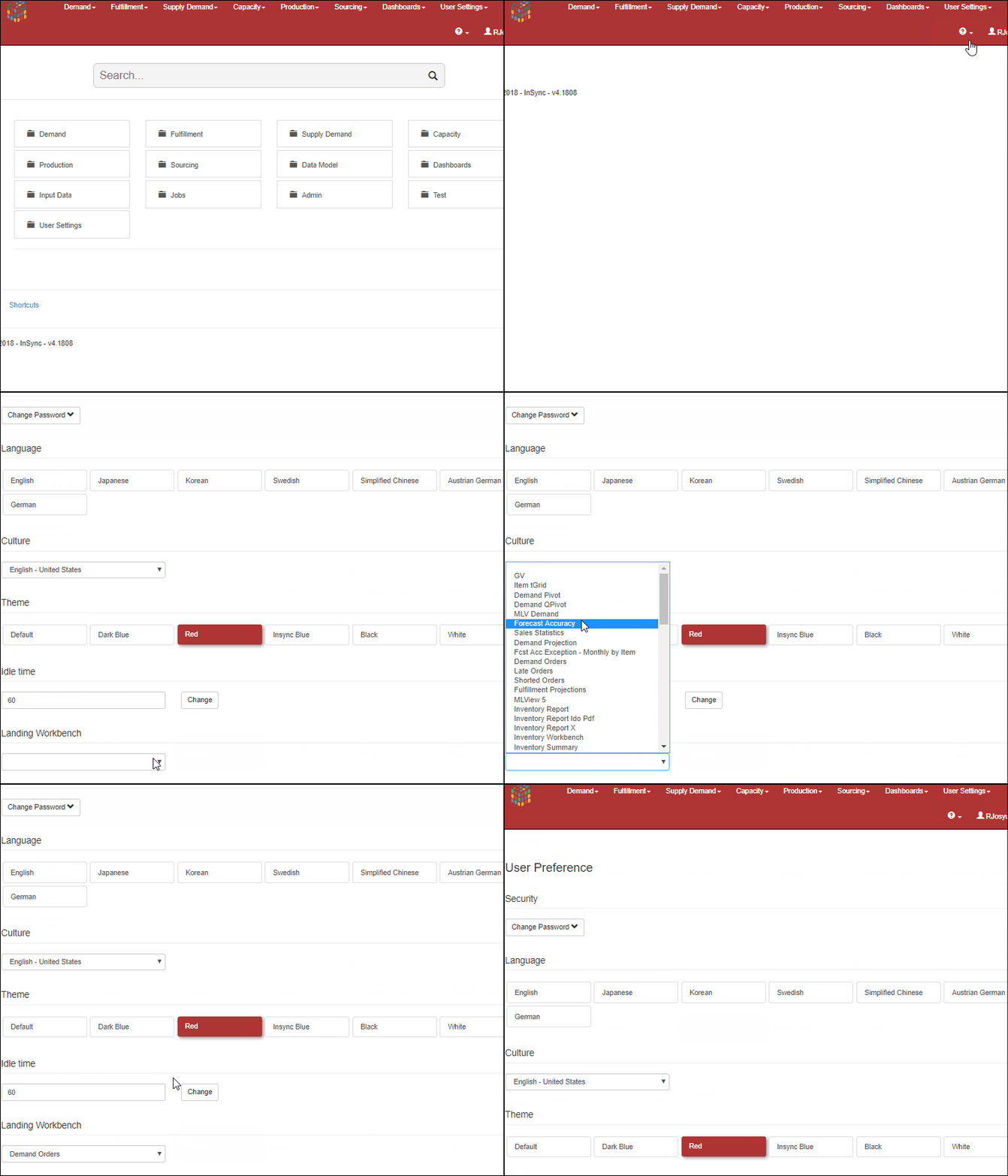
Users can now define a landing workbench in user preferences. This will become the default page the user opens to after login. To set this
- Navigate to User Settings -> User Preferences
- Select the landing workbench from the dropdown
Add columns from csv file to TableMaster
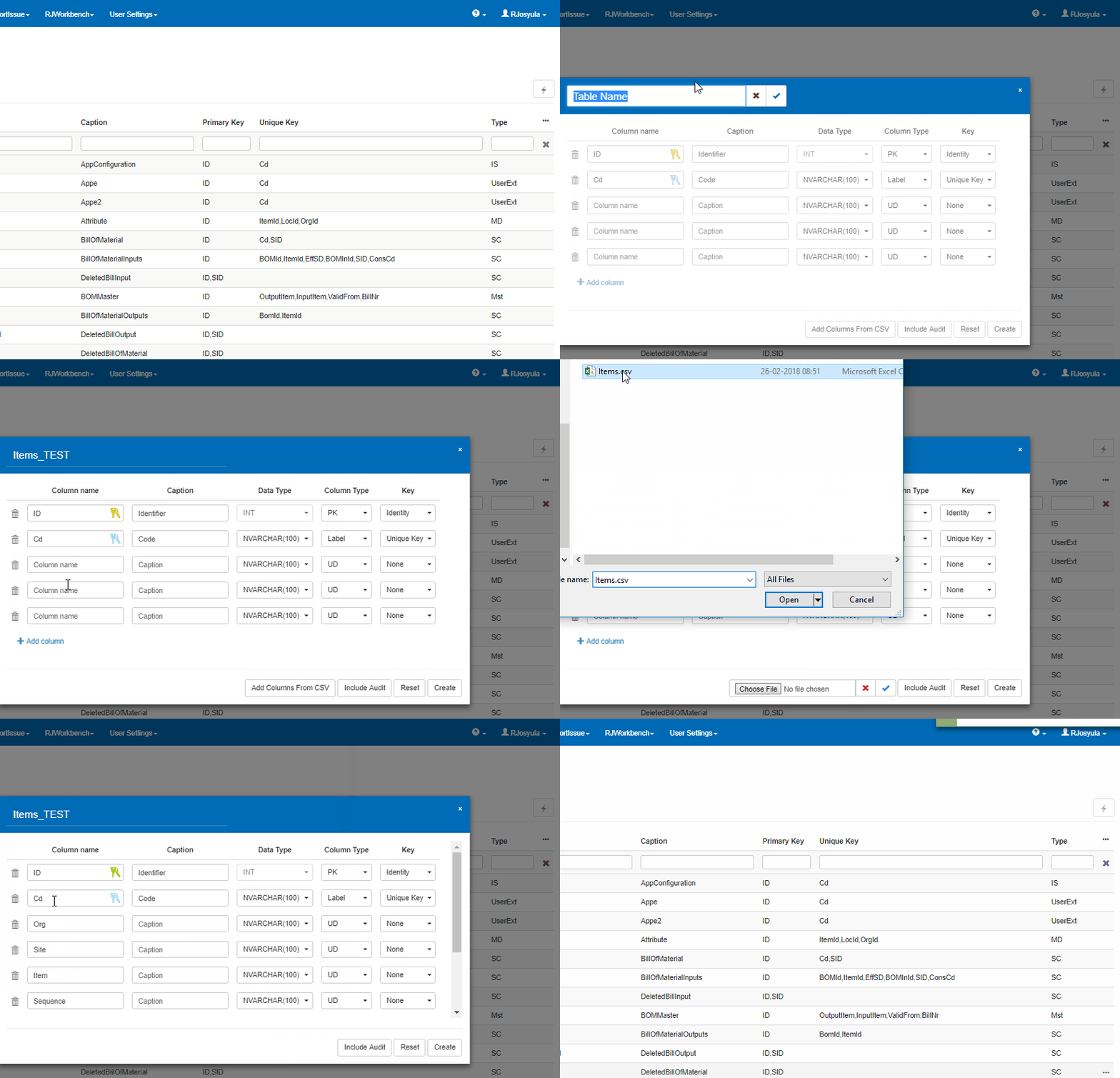
When creating a new table in Tablemaster, users have the option to add the column names from a csv file. To do this please follow the below steps
- Configurations -> TableMaster
- Press the action button -> Add Table
- Enter a table name and click on the tick mark
- Now click on add columns from csv file to select the csv file from local disk
- Select the file and click on the check button which will populate the columns from the csv file into the column names
 InSync