This release includes two new improvement to existing features along with minor bug fixes to issues. There are other smaller improvements made to the system to improve performance and stability of the product.
Improvements to existing features
- Grid workbenches support image data type in columns.
- Preview mode now available for vertical grids
Images in Grid Workbench
The image column in a grid workbench can be identified by the icon present in each row.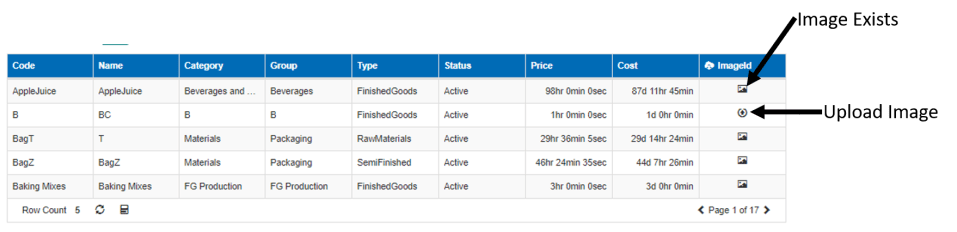
- If there is an existing image, the image icon is displayed as seen above
- If there is no image for the row, the upload icon is displayed
- Click on the upload icon to upload any image
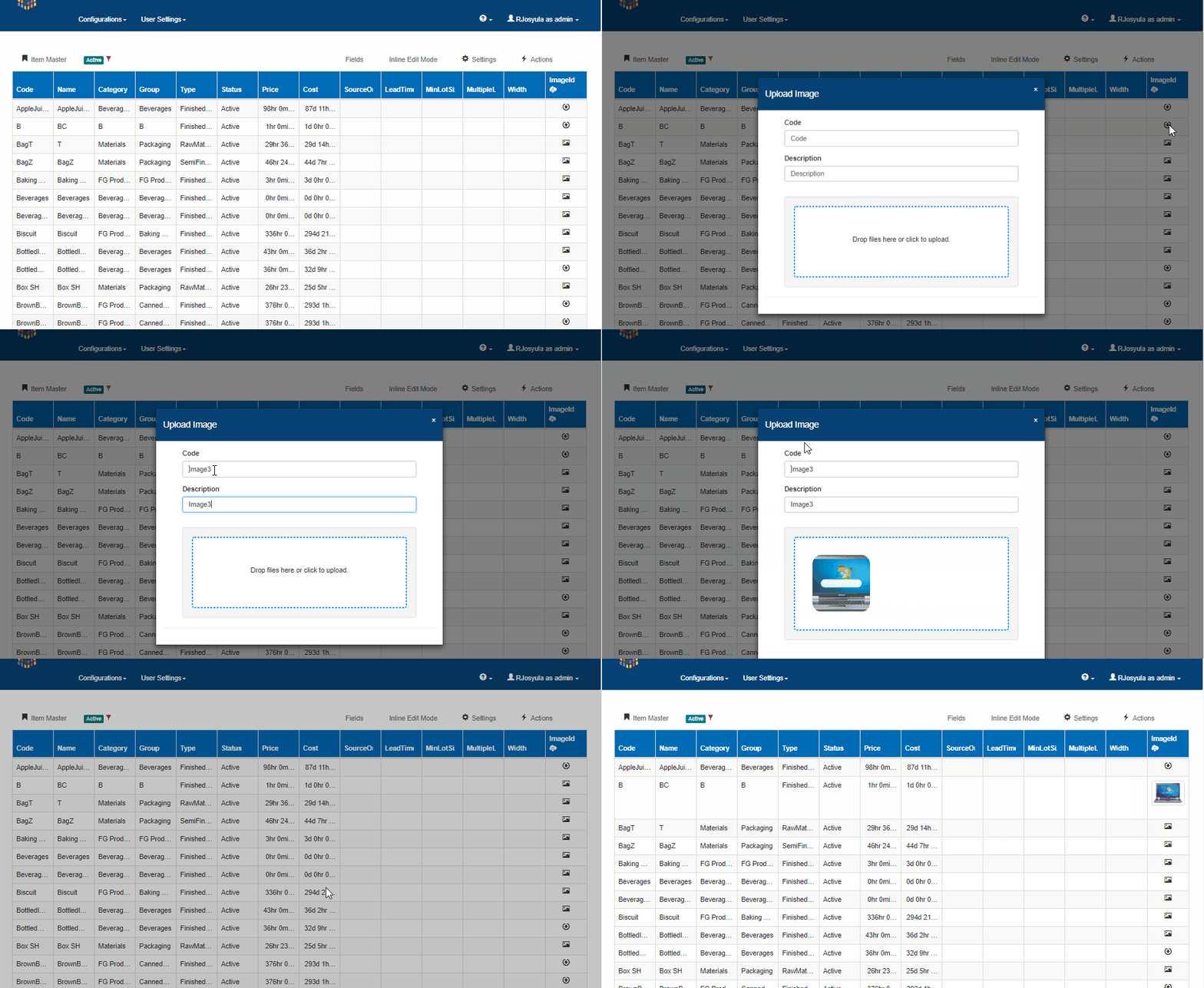
- To view the image click on the image icon to see a preview as seen in the above video
- To reset or clear image, click on the image icon to see a preview and then click on the image again to open the image

- The maximum size limit for the image is currently 100kb
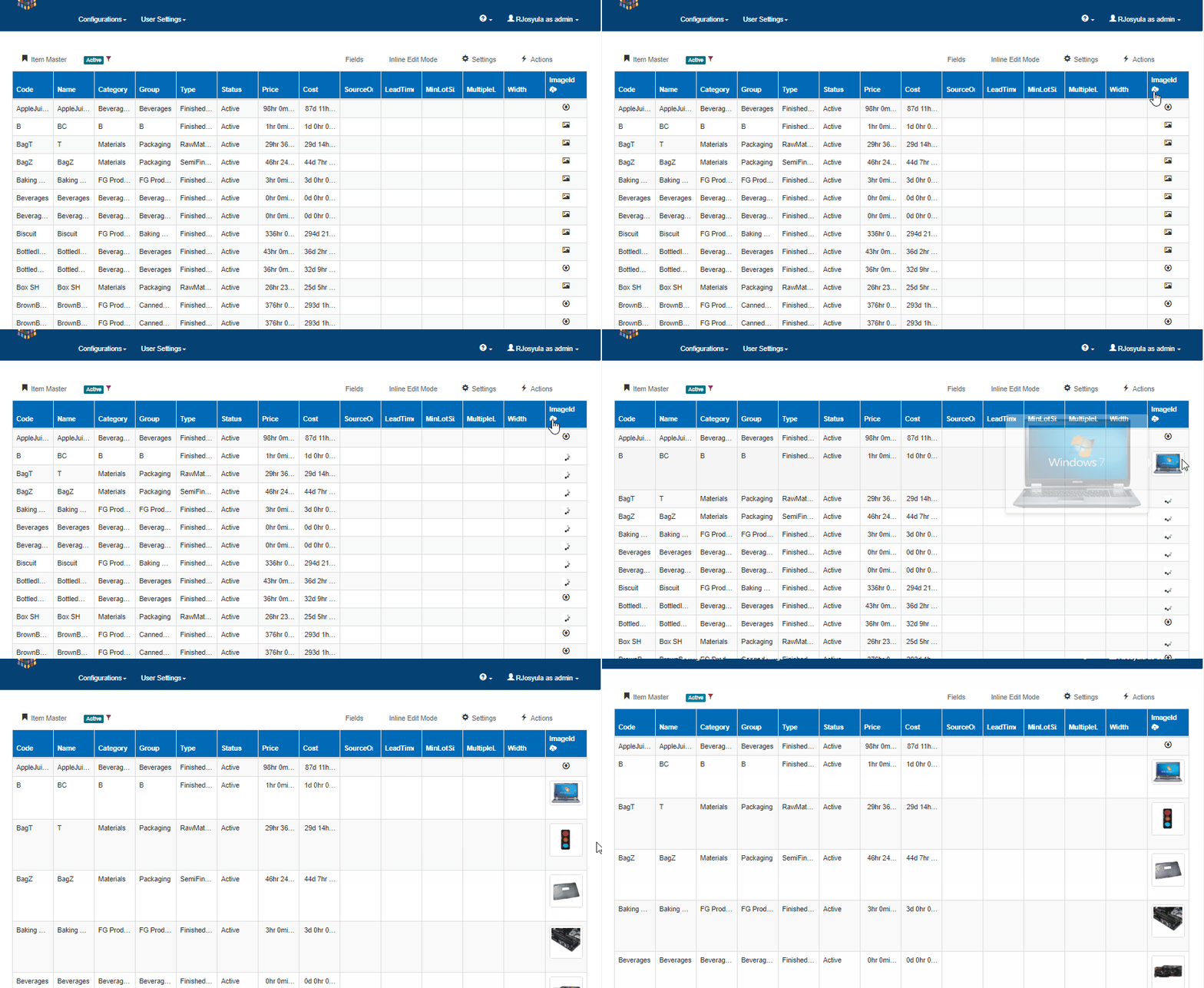
- To preview all uploaded images click on the image icon on the column header
Preview mode in Vertical Grid
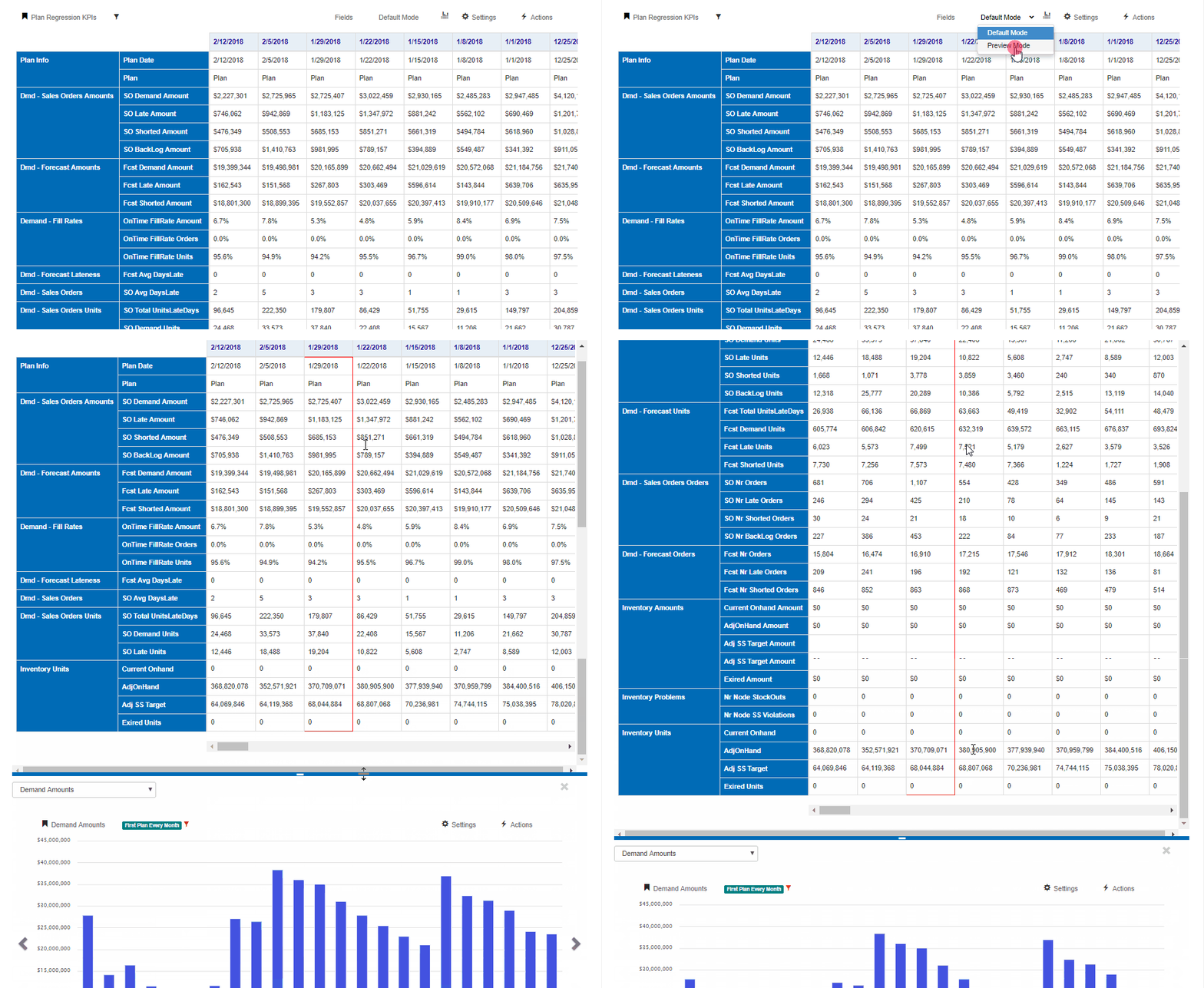
Vertical grids now support preview mode.
Click on the default button and switch to preview mode and click on any data to see the relevant previews available(if any).
 InSync