The Report Grid is a new component to help export data in PDF format.
A sample Report Grid is displayed below where the data appears in a format that is conducive for printing in pdf format.
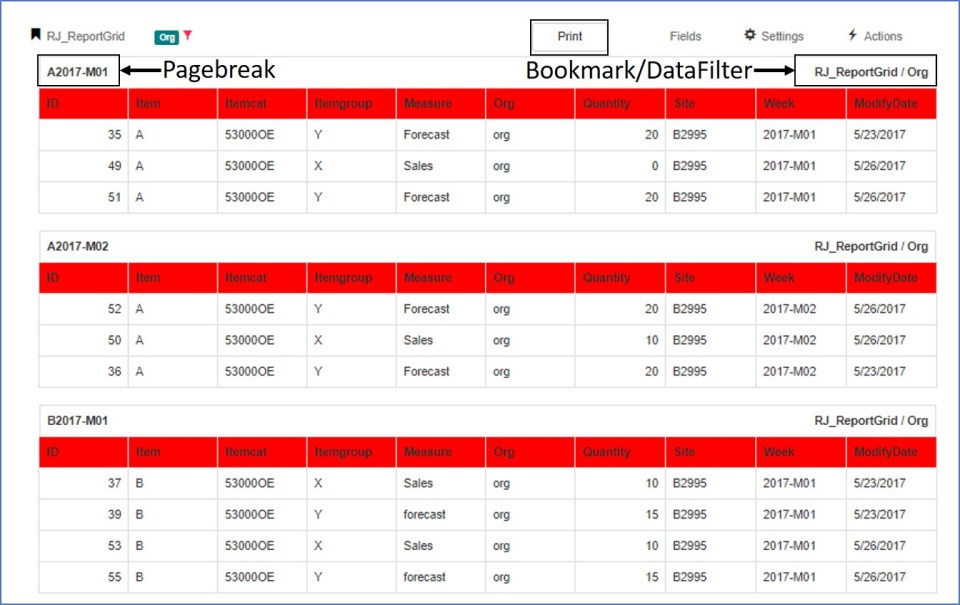
- The bookmark/filter information is displayed on each page.
- The data can be split through predefined page breaks. In the above example Item-Week is used as a page break.
- Data is sorted through fields defined in sort fields.
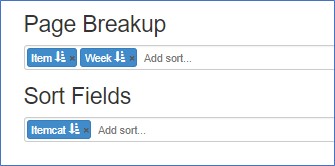
Options
From the options page, users can control the following
- Toggle between portrait and landscape mode for pdf print
- Control page and table size
- Change Border and Font
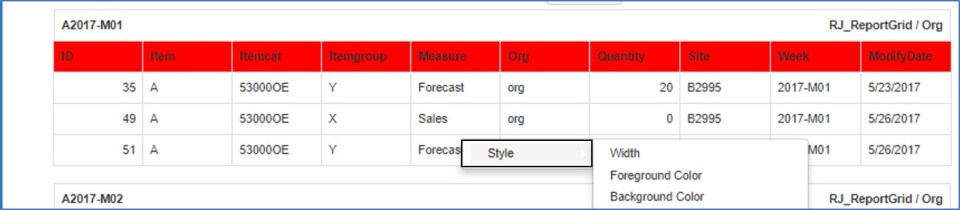
Style
- The grid style can be changed by clicking on any column header
- Background & Foreground color along with column widths can be adjusted
 InSync