Two significant improvements have been made to Plan Management
- Access and edit plan definition
- Add new plan calendars
Plan Definition
From the Plan Management screen, click on any plan definition to navigate to its page
In the Plan Definition screen, users can edit and make changes and save them

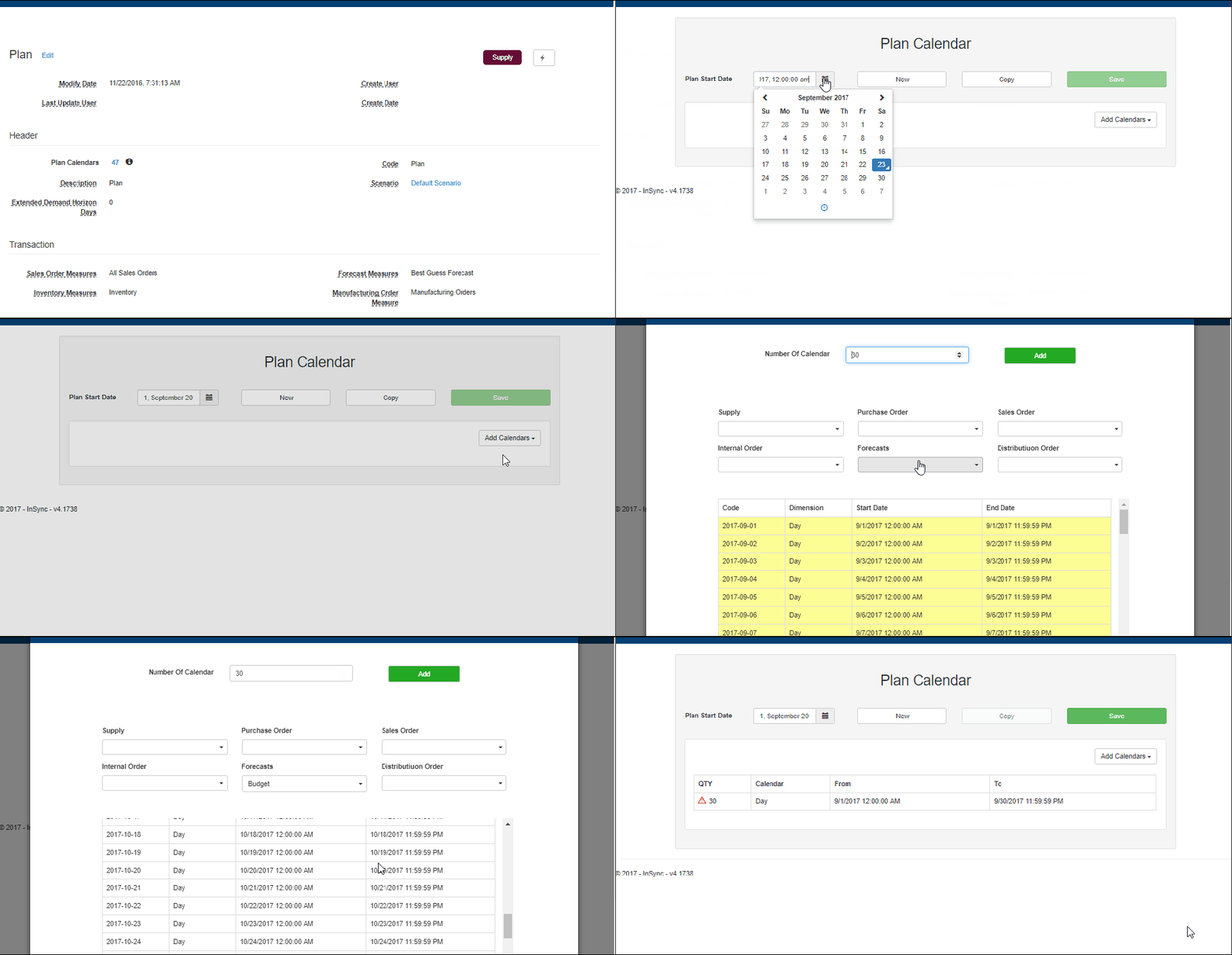
Add Plan Calendars
From the plan definition screen, users can add plan calendars
- Click on the action button in the plan definition screen
- Select the Plan Start Date and bucket size
- Enter the number of calendars to be defined and select the transaction measures
- Click on add to create and add the plan calendars
 InSync