Folders within the FTP structure can now be assigned security groups to control read/write/delete access to the folders.
To define the security access
- Click on the three dots for any folder within FTP folders and click add security
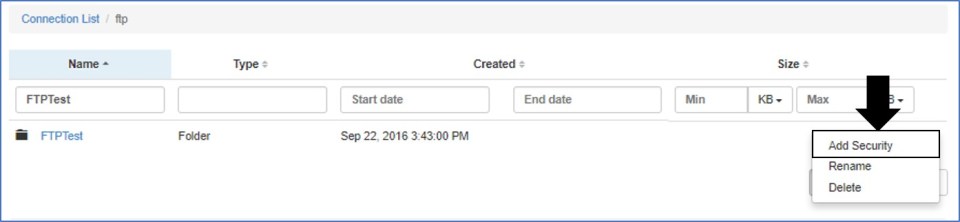
- Each folder can have read security, write security and delete security
- Read: Only those who are part of the security group assigned will be able to view the folder and its contents
- Write: Only those who are part of the security group assigned will be able to add files/folders to the folder
- Delete: Only those who are part of the security group assigned will be able to delete the folder or its contents
- Select from the dropdown the security groups for read, write and delete
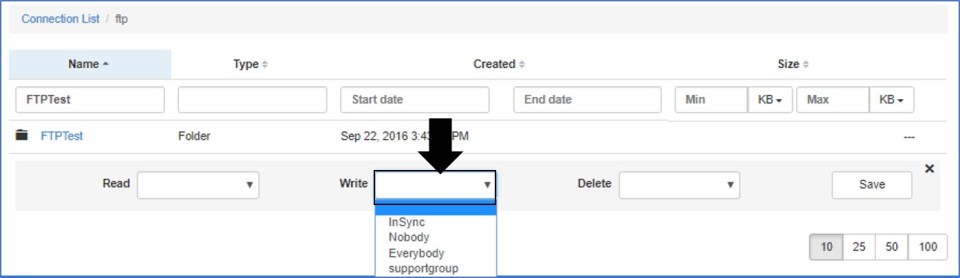
- Once the security groups are selected, click on save

- Folders which have security defined are represented by a red lock icon. Clicking the icon will display the existing security privileges

- All sub folders and files are granted the same security privileges as its parent.
 InSync