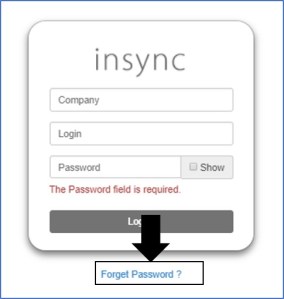
Users can reset their password using the Forget Password option available on the login page
- On the login page, click on the forget password link
- In the next screen, enter the user name, email and the user organization
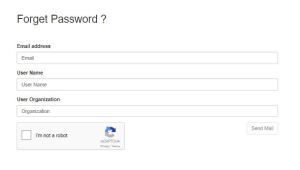
- The email-id has to be the same with which the user registered
- The user then gets a link to his registered email-id to reset his password
- The link is only valid for the specific user and can only be used within the next 24 hours
- Enter username, user organization and the new password to reset the password

 InSync