Configuration table screens now allow better control over visibility and order of fields displayed in the respective tables.
These features are available in all applicable screens under configurations(Data Tables, IDO, Workbench, TableMaster etc)
Re-arrange fields

- To rearrange the fields, drag the field and drop it at the desired position
- After rearranging the fields, the order is remembered for the user for revisits to the same screen
Hide/Show Fields
- Click on the three dots to display all the available fields
- Select/deselect to control which fields are displayed in the UI

IDM Sequencer
In IDO, IDM fields can now be sequenced using drag and drop feature to control their order in the IDM table
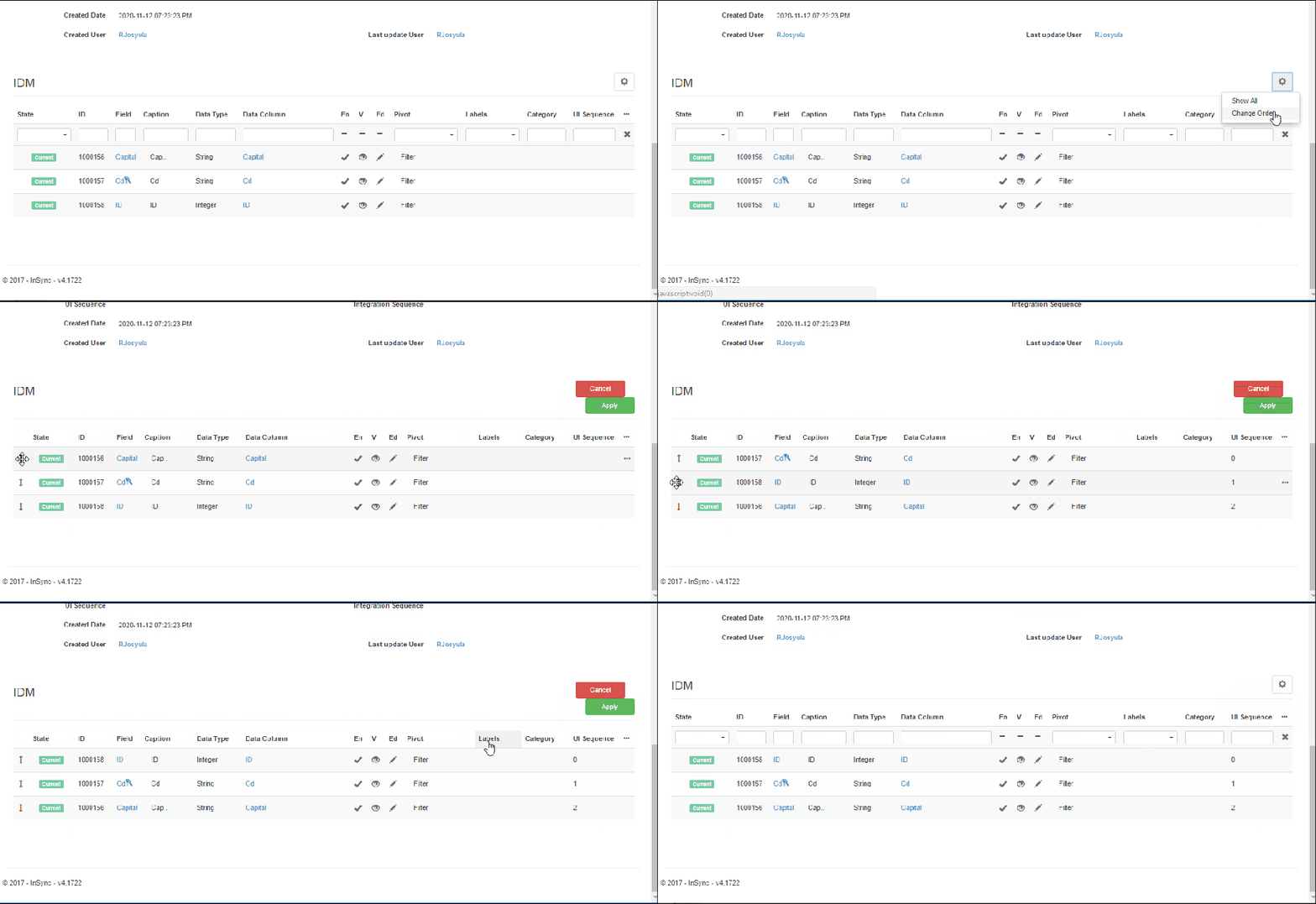
- Click on the settings button and click on change order to drag and drop the desired field to their new position and click apply.
Search/Filter
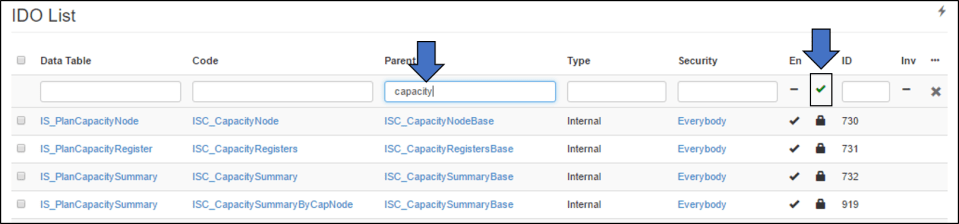
In the configurations tables, there is a provision to search and filter results.
Depending on the field, either a text search or selective dropdown is available. For boolean fields a boolean filter is applicable.
 InSync