
This release includes improvements on existing functionality in the UI along with new functionality to make summations in grid and ability to filter in pivot. The improvements made are easier handling of categories, quicker search options in pivot, changes to data tooltip along with the option to change unit of measure in grids. This update also includes general improvements for usability and stability of the system
The changes made are described below in detail
 Additions/improvements to Pivot filter/search
In the latest release, significant changes have been made to pivot/cpivot to make applying filters easier for users.
Filter functionality in pivot
The filter functionality which was previously available only in grids and tgrids is now also available in pivots.

- Filters can be saved to user settings.
- This filter queries from the database directly as represented by the DB icon next to the filter button
Search/Pick List
The search or pick list also filters data but is done directly on the client side(UI)
- Search allows to quickly navigate/type and make a single selection
- Click on the header and clear selection to remove applied filters
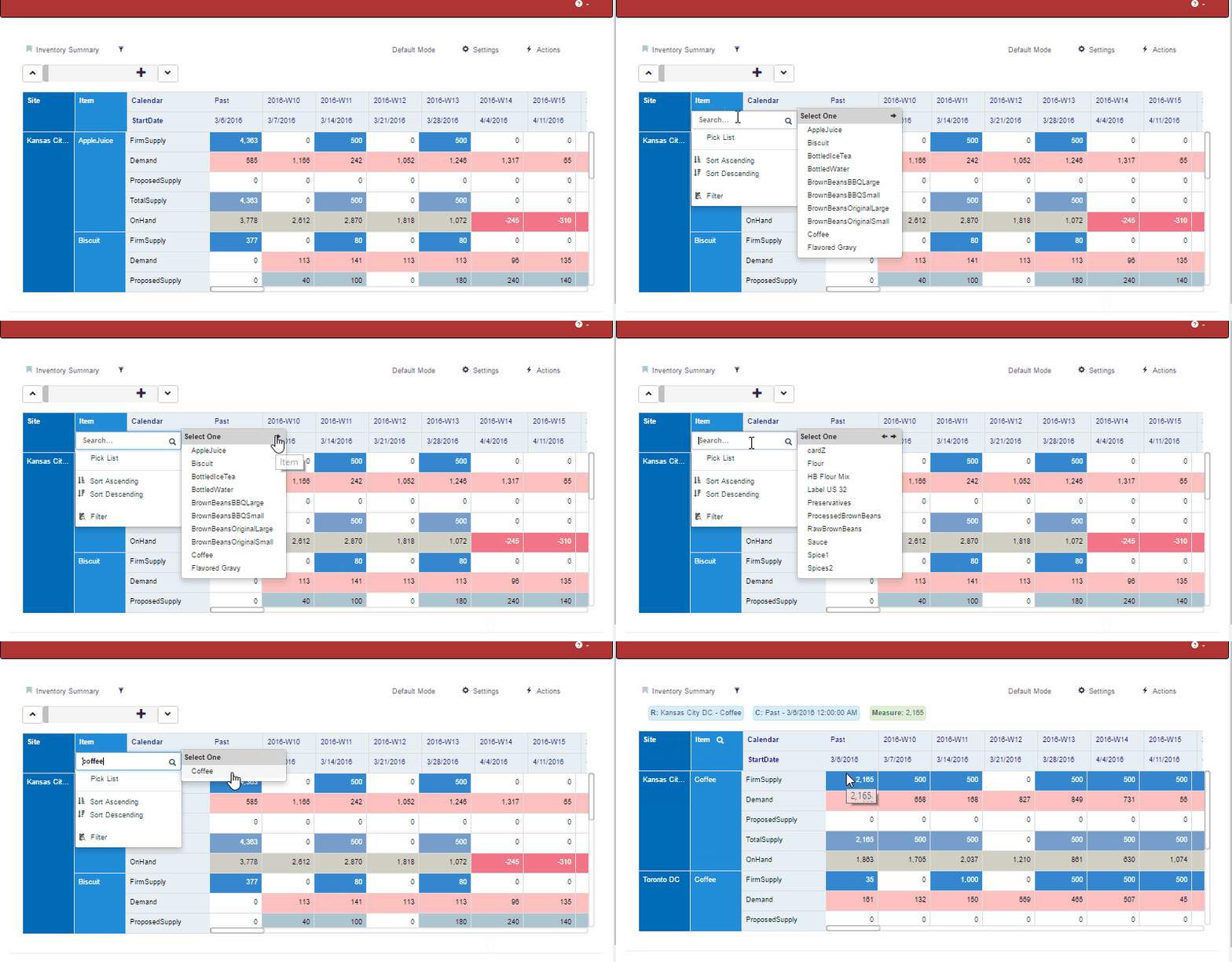
Search
- Picklist allows multiple selections
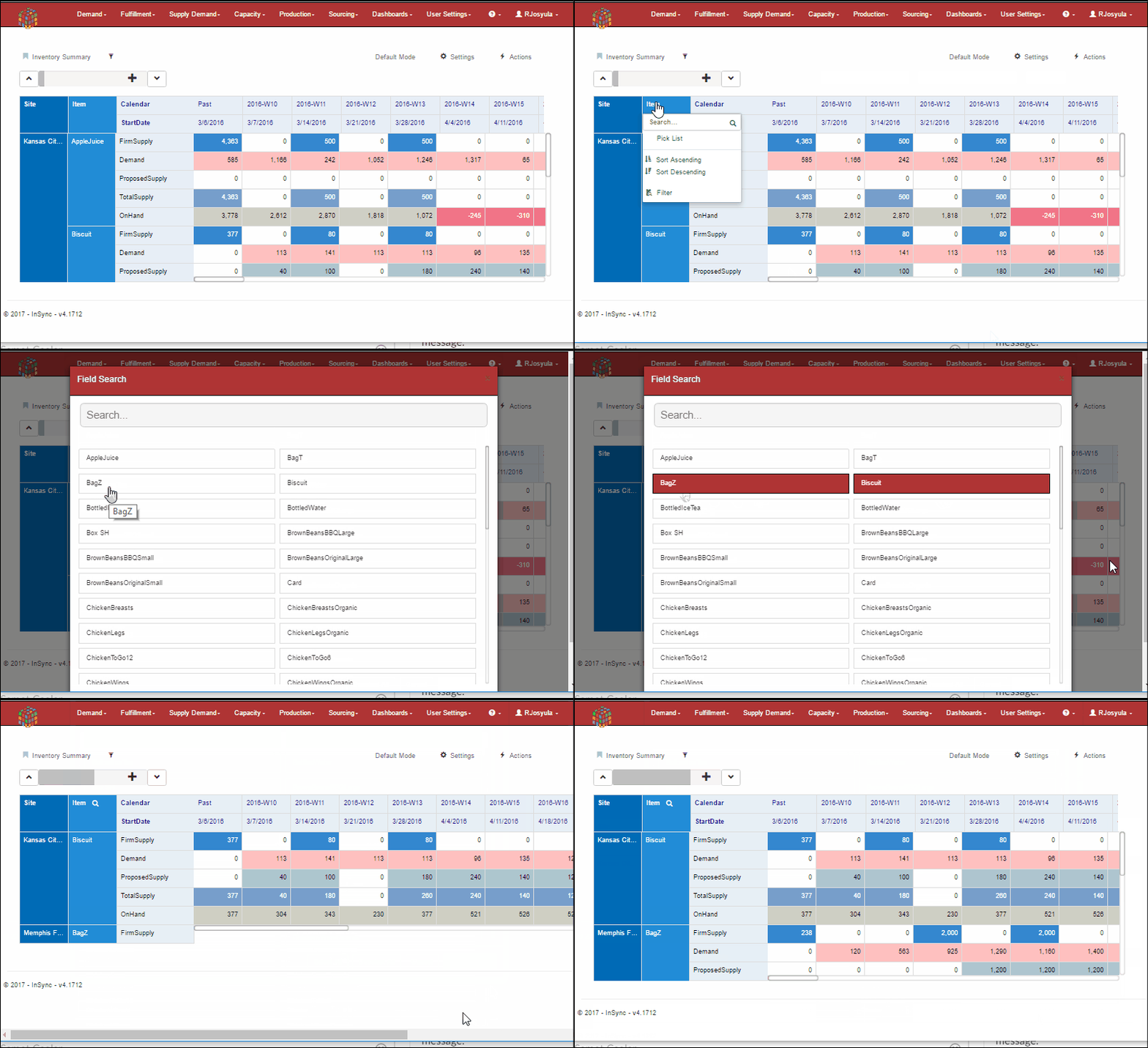
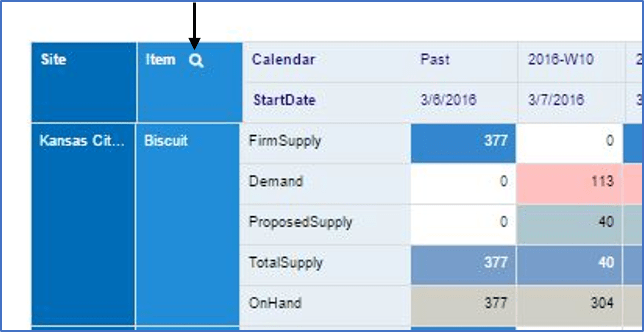
- The search icon indicates that the filter has been applied
Unit of Measure selection for Grids
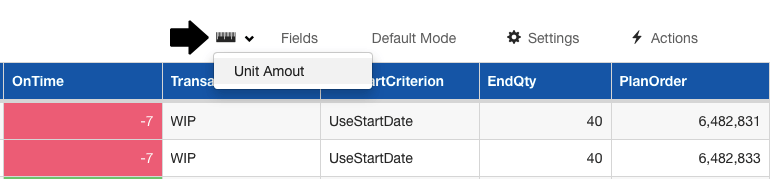
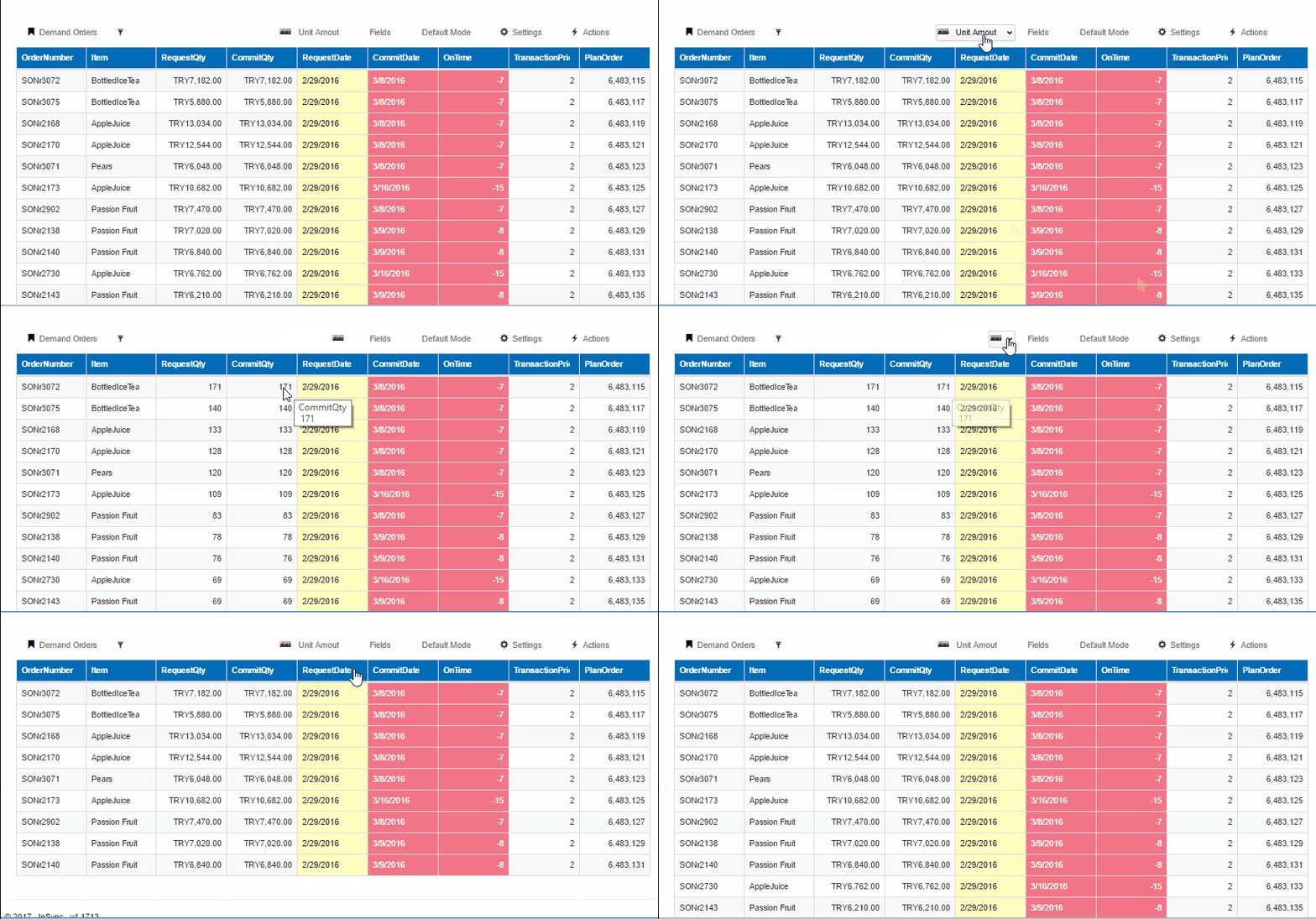
In the latest release, a new feature has been added to allow the user to choose the unit of measure in which to view the data in.
- User can either select the default units or select amount to view the data from a cost perspective in the below example.
Ability to total Grid report columns
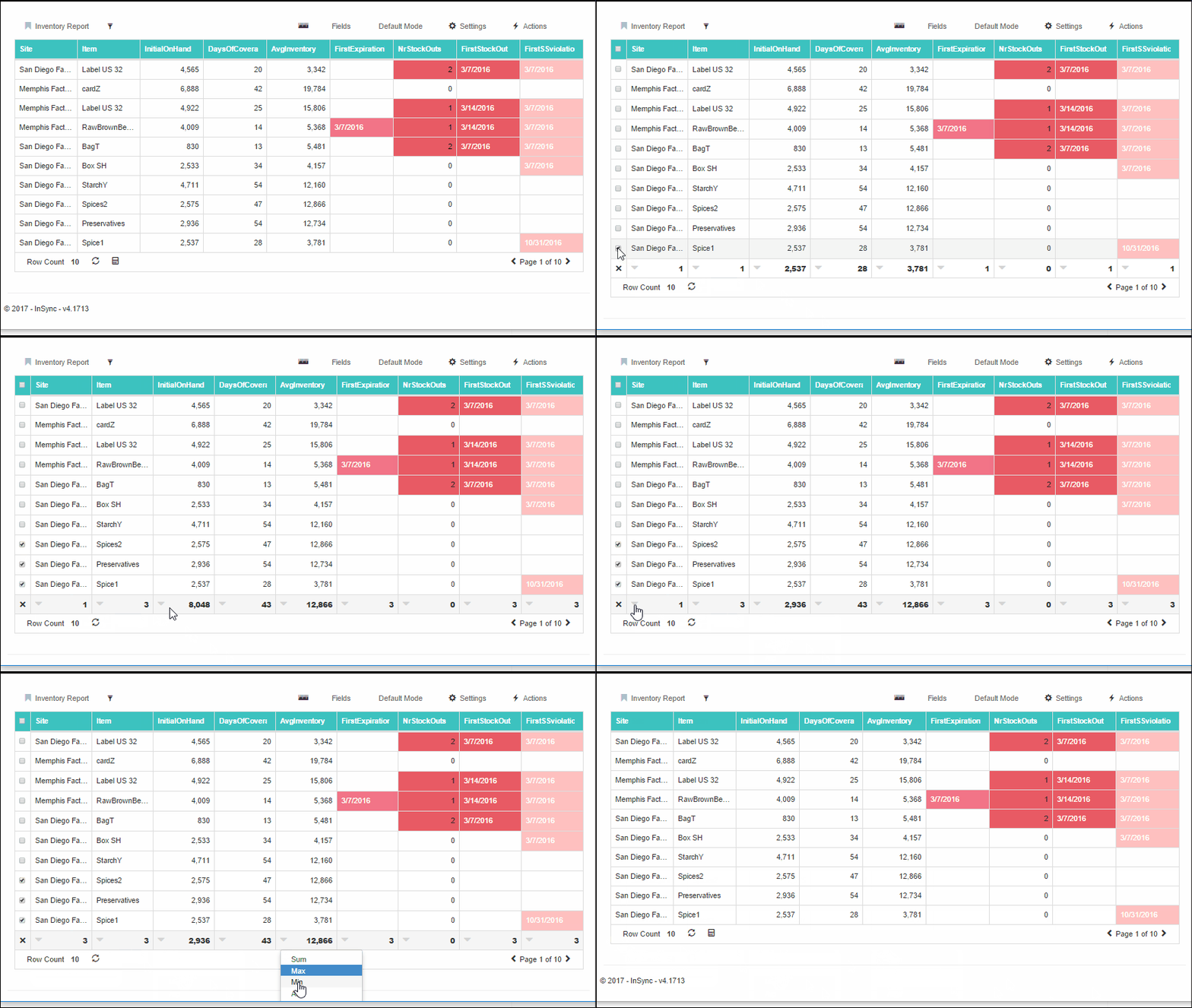
A new function has been added to grid that allows users to make data summarisations of selected rows and view the totals in the grid
- To view the totals, click on the calculator icon to activate the grid totals

Detached Mode

Integrated Mode
- Select desired rows
- View the results at the bottom/top of the grid
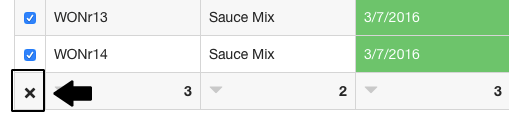
- Click on the X icon to close the calculator mode
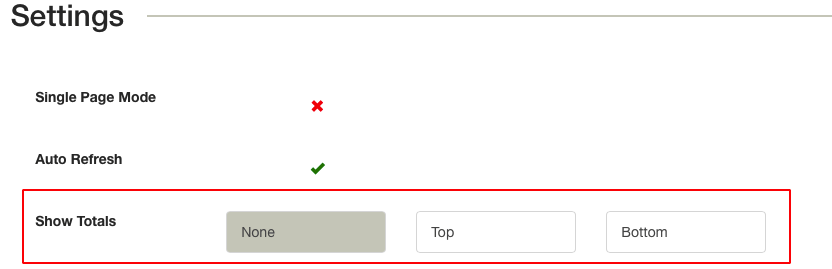
- In Settings -> Options the user can choose whether the totals will appear at the top or bottom of the grid
- For each column, based on the field type, the available summation options are
- For text fields, count & distinct count
- Date fields: Count, max & min
- number fields: Sum, average, max, min & count
Changes to Category Management
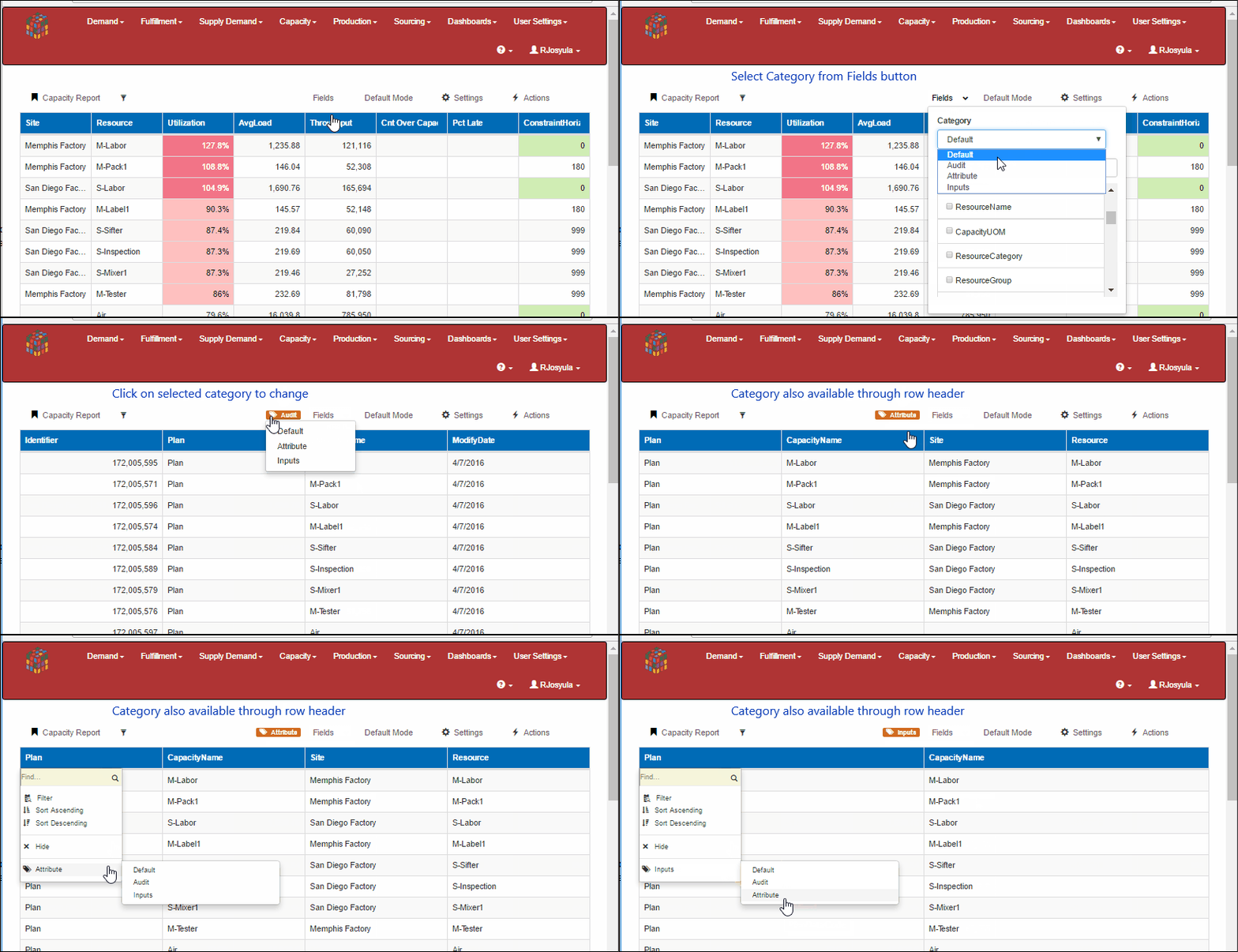
The category function available in Grids & TGrids has been improved in the latest release to improve usability. Categories are useful for quickly changing the layout based on pre-defined field layouts.

Category
The following changes have been made to categories
- Display the category selected by user.
- Ability to modify category from the display directly.
- Once the category has been modified, a new category called “modified” is displayed to show the user is no longer displaying the default categories.
- The “Default” refers to the default setting that is received from the meta data and not to the users default setting.
- To go back to the default settings of the user do Restore Settings under Settings menu
- Categories can also be changed by clicking on the row header.
Borders to identify field type in Inline Edit mode
In Inline edit mode, cells have border in a unique color to identify the field characteristics

Formatting Guide
- Blue Border: Required field
- Bold Text: Key field
- Green Border: Editable Field
- Red Border: Read only field
Data tooltip to include header information
This improvement has been made to facilitate easy access of header information when the header is no longer visible

New format of type TIME in UI display
For fields like Resource Loads which are usually time measured, were displayed as a decimal. This new release enhancement allows to also view these values in a time format as shown below.
Both short and long form time displays are supported in Day, Hour or Minute
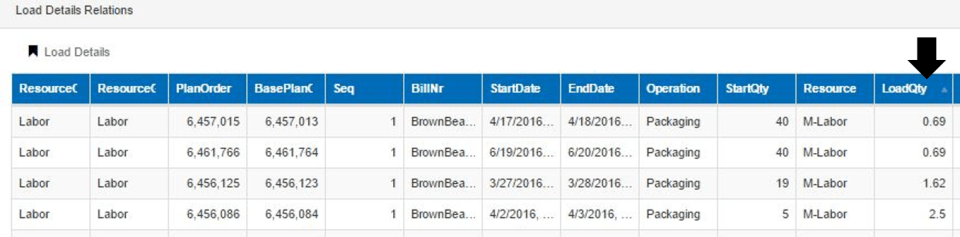
Load Quantity in Decimal
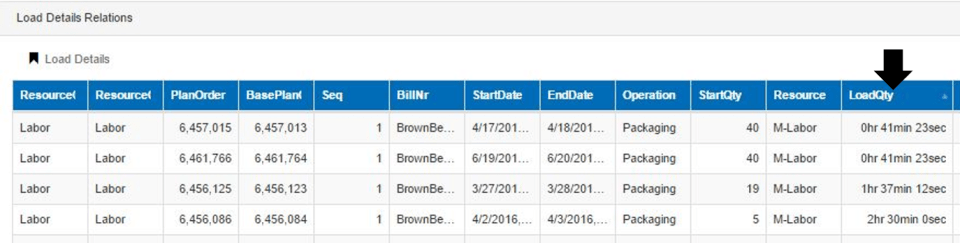
Load Quantity in Time long format
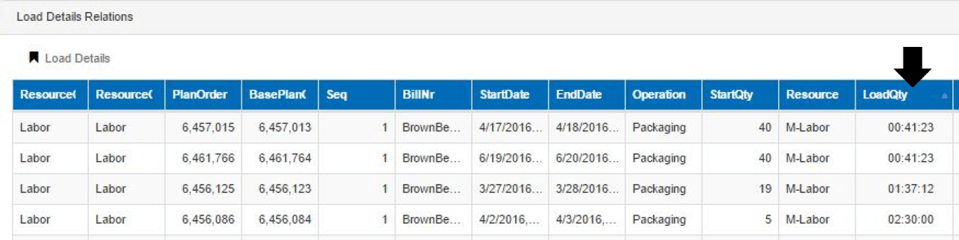
Load Quantity in Time short format
 InSync